User Guide for Bagisto Marketplace Split Order
Bagisto Marketplace Split Order module automatically splits a marketplace order into separate seller-specific orders.
Customers place a single order and payment, while the system creates separate orders for each seller to manage invoicing, shipping, refunds, and commissions.
This simplifies marketplace management and allows each seller to process only their own products independently.
Features List
The Marketplace Order Split module offers the following features:
- The admin can enable or disable the Order Split module from the configuration settings.
- The system automatically splits orders based on seller IDs.
- The system creates separate orders for each seller involved in a purchase.
- Admin owned products are grouped into their own separate order.
- The system distributes the shipping amount across the split orders based on the shippable quantity.
- The system generates seller-specific invoices, shipments, and refunds for each order.
- The system calculates marketplace commissions individually for each order.
- Sellers can view only their own orders in the seller dashboard.
- The admin can perform bulk processing of orders from the backend.
Installation
Bagisto Version: v2.5.0
Marketplace Version: v2.5.0.0
Note: The Bagisto Marketplace module is required. Install and enable it before installing the Order Split module.
Step 1: Extract the Package
Extract the downloaded extension package.
Copy the packages directory into the root directory of your Bagisto project.
Step 2: Configure Composer Autoload
Open the composer.json file.
Under the psr-4 section, add the following namespace.
"Webkul\\MpOrderSplit\\": "packages/Webkul/MpOrderSplit/src"
Now regenerate Composer’s autoload files.
composer dump-autoload
Step 3: Register the Service Provider
Open the following file: bootstrap/providers.php
Add the following service provider inside the providers array.
use Webkul\MpOrderSplit\Providers\OrderSplitServiceProvider;
return [

    // Existing Providers

    OrderSplitServiceProvider::class,

];
Note: Register this provider after the Marketplace service provider so that the order split checkout flow is loaded on top of the marketplace flow.
Step 4: Install the Module
Execute the following Artisan command.
php artisan mpordersplit:install
The installation command publishes the module resources and clears the application cache so that the new configuration and views are available.
Admin Configuration
After installation, navigate to:
Admin Panel → Configuration → Marketplace → Order Split

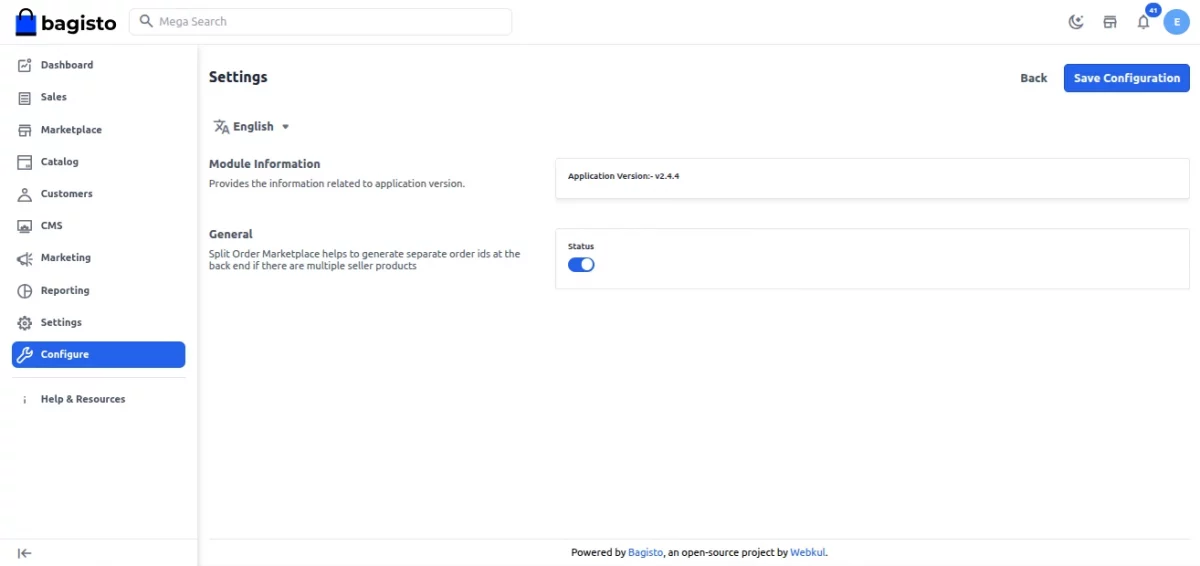
The settings page contains two sections:
- Module Information – displays the application version of the installed module.
- General → Status – enables or disables order splitting.
When the status is enabled, orders with products from multiple sellers are automatically split into separate seller orders.
When disabled, the default Bagisto order flow is used.
Note: All configuration settings are channel-based and can be configured per sales channel.
Checkout Flow
Once enabled, customers continue using the normal checkout process while the system handles splitting in the background.
Cart Checkout
Customers can add products from multiple sellers into a single cart and proceed through one checkout process.

Order Placement
When the order is placed, the system identifies the seller of each cart item and groups the items seller wise. The customer still makes a single payment for the complete cart.

Order Generation
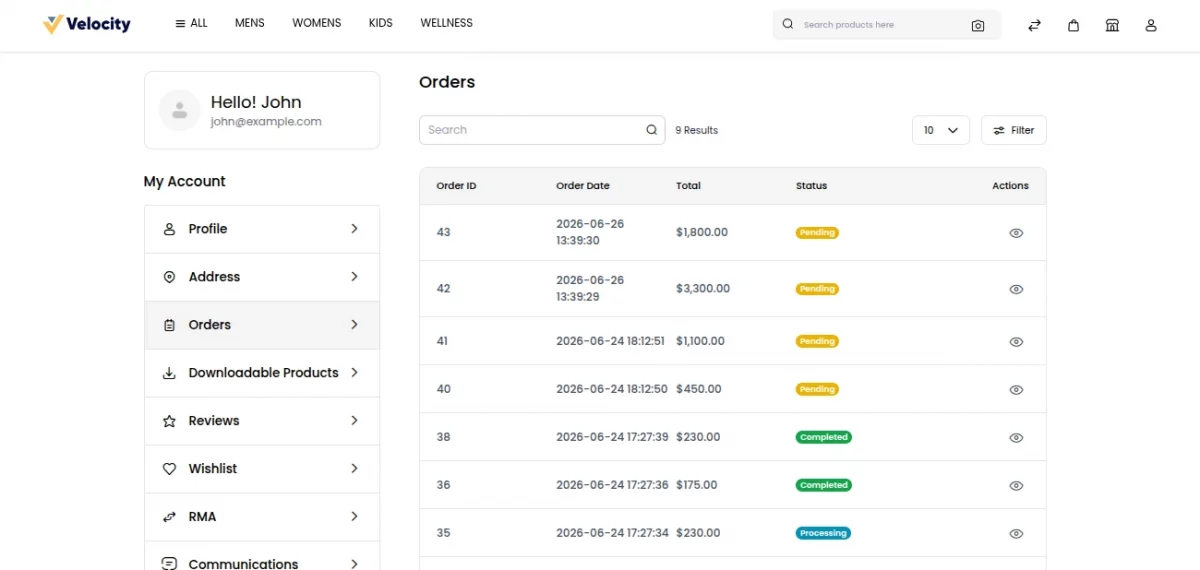
Separate orders are automatically created for each seller. Each order inherits the billing, shipping, and payment details of the checkout but contains only that seller’s products.
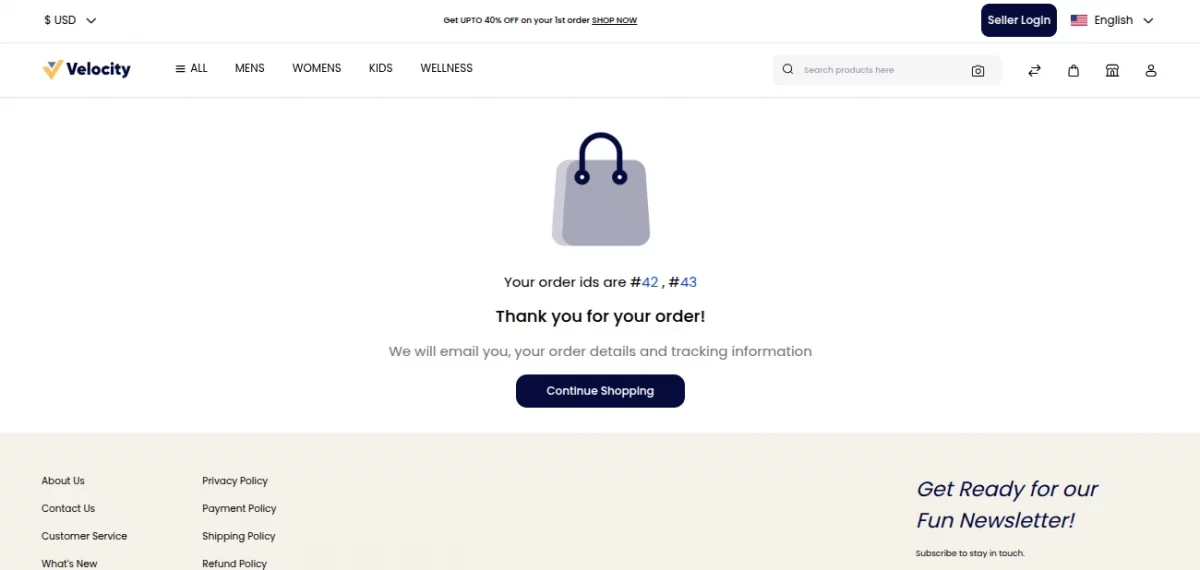
Products sold by the admin are collected into their own order, so a cart containing one admin product and products from two sellers results in three orders.
Order totals such as sub total, tax, discount, and grand total are recalculated for every split order. The shipping amount is distributed across the split orders based on the shippable quantity each order contains.
On the order success page, all generated order IDs are listed so that the customer can open each order directly from there.
Seller Dashboard
Each seller can view only their assigned orders from the dashboard. Sellers can:
- View assigned orders
- Generate invoices
- Create shipments
- Process refunds
- Track order status
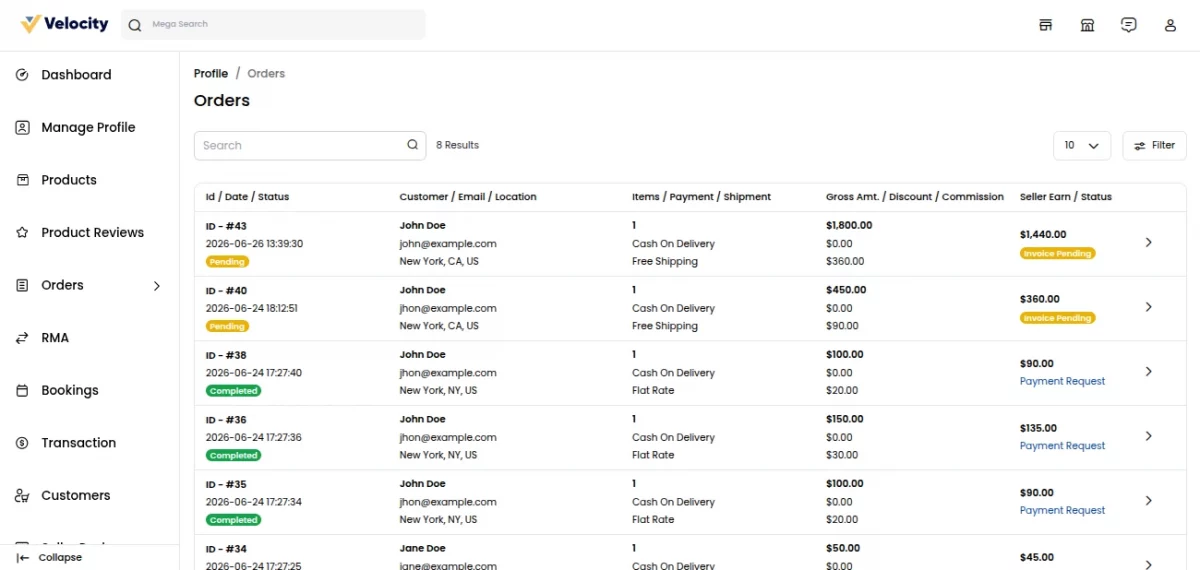
Sellers cannot access other sellers’ orders.
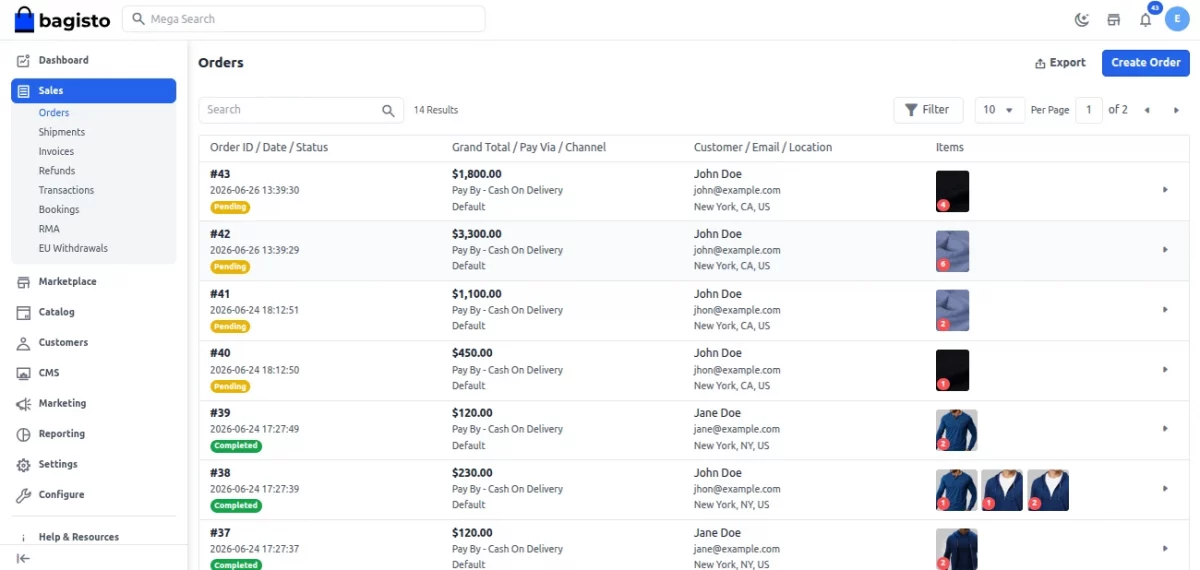
Admin Order Management
Admin Panel → Sales → Orders
From here, the admin can:
- View all split orders
- Track order status
- Generate invoices
- Create shipments
- Process refunds
- Bulk process orders
Benefits of Order Split
- Simplifies multi-vendor order management
- Enables independent seller fulfillment
- Removes seller dependency
- Maintains smooth checkout experience
- Improves commission accuracy
- Supports scalable marketplace operations
Support
That concludes the User Guide for the Bagisto Marketplace Order Split module.
For any questions, technical issues, or assistance, feel free to contact us at: support@webkul.com
You can also raise a support ticket through our help desk: https://bagisto.uvdesk.com/en